Showing posts with label WINDOWS 8. Show all posts

Download 5 Most Beautiful themes for Windows 8 (2014)


Windows 8 has a little over a year with us and although there are many customization options available, However, thanks mainly to the DeviantArt community, we can find now many beautiful themes compatible with Windows 8 and 8.1 .We have selected some of the most beautiful and leave you to decide to put your new suit Windows for the new year.
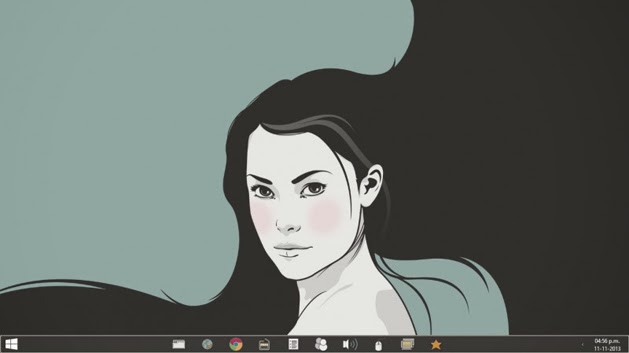
Retrofukation 8


Theme created by Neiio ,one of the most popular and the creator of all other issues presented here. Ena Retrofukation in adapting a collection of retro style themes originally created for Windows XP and then Windows 7. It has 4 variations, with beautiful colors in pastel browns and blues. It also has a set of extras, including icons, backgrounds, themes and skins for Winamp CD Art Display.

Download Retrofukation 8

Area 4.8


Another theme Neiio also something with a nice retro beige background and blue details. It is an adaptation of a very popular theme for Windows XP for years. Now available for Windows 8 and 8.1. The package includes icons for folders. The classic Start menu is thanks to Start 8 .

Download area 4.8

Work


One that was part of my favorite themes for Windows 7. Work is one of the styles of suite APPOWS, this time Neiio brings us to Windows 8.

Download Work

Space Blueberries  4.8


This is indeed a subject that I currently use on my Windows 8.1, has a simple and elegant decorations windows and makes them look at your task bar very sexy, especially if you combine it with monochromatic icons. It is one of the best songs you can get to Windows 8. Includes 4 very beautiful and minimalist wallpapers that rotate automatically.

Download Space Blueberries

Nimbus


Nimbus is the default style of a large project that is still somewhat green, but can promise a lot: Nimbus OS , an attempt to provide the same interface to multiple devices. The theme is very complete, and uses white tones, it is also compatible with Windows 8 the effect of changing the color of the window decorations according to the color of your desktop wallpaper.

Nimbus has a pack of official icons to match, and a selection of beautiful photographs to use as wallpapers .

Download Nimbus

5 Reasons to buy a low-end Nokia Lumia Windows Phone 8


Windows Phone 8 continues to grow and it is largely due to the efforts of Nokia and the sale of low-end smartphones. These include the Nokia Lumia 620, which was the first to appear and the Nokia Lumia 520, the best selling device with Windows Phone. In this article we give you some reasons why purchasing a low-end Nokia Lumia. Do not miss it!


The family Nokia Lumia continues to grow and now comprises eight terminals with Windows Phone 8 . Also met yesterday that sales of smartphones with Windows Phone and we are about 10% in Europe .

We will show some of the reasons why to purchase a low-end Nokia Lumia Windows Phone 8.

1 - For its great design.


Both the Nokia Lumia 520 and Nokia Lumia 620 have a great design and pleasing to the eye. Both devices have a housing occupying the rear and side terminal part, which gives a good feeling of sturdiness. It is a plastic housing with a textured touch, as in the case of the Nokia Lumia 620 to the top is difficult to remove, because you have to put your thumb on the same lens to remove it.

In addition we can customize our phones with different interchangeable covers , available in bright colors. We may also supplement our case with the color chosen for our home screen to show off even more of our smartphone .

2 - For an excellent screen.

In the case of the Nokia Lumia 620 has a relatively small screen, when compared to terminals of the same range. It has a 3.8 inch LCD screen and resolution 480 × 800 pixels, a high quality picture to enjoy pictures and videos on the phone. It also has ClearBlack technology that reduces reflections, creating more vivid colors even under bright sunlight.

The Nokia Lumia 520 has a top screen in size, 4 inch IPS. Despite not having the same image quality of Nokia Lumia 620, a clear display and vivid colors seen. The resolution of the terminal is the same as the top model, 480 × 800 pixels. Also in both terminals have a large touch sensitive screen , which can be used even with gloves.

3 - For a great user experience.


It is one of the best reasons to purchase any phone with Windows Phone. Both phones have Windows Phone 8 operating system platform as smooth on both devices and the high-end devices like the Nokia Lumia 925 or Nokia Lumia 1020. Both have Qualcomm Snapdragon S4 dual-core 1 GHz and 512 MB ​​of RAM, which is enough to move fluidly between different applications.

It is true that Windows Phone 8 suffers from applications, but bear in mind that this is a young platform and growing every day, and there are third-party applications that supply very good quality the absence of official clients. If we talk about Nokia Lumia, we have to take into account that has my custom (some exclusive) of Nokia , as HERE Maps, Nokia Music and Creative Studio.

4 - For its internal memory.

Both the Nokia Lumia 620 as the Nokia Lumia 520 with 8 GB of internal storage . Is insufficient, but when compared to other midrange phones other operating systems like Android is superior. For example, the case of the Samsung Galaxy S III mini has 8 GB of internal storage, but only 4 of them are available to the user. In the case of the Nokia Lumia 6GB terminals are free to the user, ie, 2 GB more.

Also in both models we can expand the memory by microSD cards up to 64 GB , which is inserted into the phone, removing the housing. It also has 7 GB Microsoft's cloud, SkyDrive.

5 - Its affordable price.

One of the main reasons that have triumphed both phones. The Nokia Lumia 620 was the first smartphone with Windows Phone 8 at an affordable price .

The features and price have made ​​the Nokia Lumia 520 in Windows Phone handset with best sellers . It was a phone designed for emerging markets, but it has become the best selling in countries like France or Spain. We can find 160 free, competitive prices, since no terminals are in other systems with specifications such as the Nokia Lumia 520 at such an affordable price.

These are the main reasons we found for you to purchase a low-end Nokia Lumia with Microsoft's latest platform, in front of terminals other operating systems in the same band on the market. Surely if a member of one of the two smartphones will find more reasons for recommending them.

What other reasons would you give to those that purchase a low-end Nokia Lumia?

Tips-How to soft-reset a Nokia Lumia 800 & Lumia 900


While it is very rare for any Windows Phone to crash or freeze, we have on a few occasions seen it happen. It's rare because 3rd party apps don't have access to the core of the OS and therefore it's very difficult to cause the system to become unstable. Still, the problem may pop up and we figured we would cover you for the Lumia 800 & 900.


Why these two Nokia devices? With their unibody design, there's no physical way to access and therefore pull the battery. That puts users in a pickle if they need to soft-reset a stuck device. So without further ado, here's how you do it:

Lumia 900


  • Press and hold the volume keys, power button and camera together for 3-5 seconds
  • The phone should soft-reset (although some say you should feel 3 vibrations, ours never has)

Lumia 800


  • Press and hold the volume keys and power button together for 3-5 seconds
  • The phone should soft-reset
That's it. So although you will probably never need this it's good to know if you're in a pinch.

Acer Travelmate X313 »Review,Specs,Features & price


Acer has recently introduced a new model convertible laptop, half and half tablet computer. This is the Acer Travelmate X313 , a convertible so expensive and will be available in up to 3 possible configurations.


Technical Features

The Acer Travelmate X313 is a device very similar to the Surface of Microsoft, as much as we can use thanks to the keyboard and laptop as a tablet.

Although the tablet must relativize because with almost 3 kilos of weight and thickness it will not be very comfortable to use as a tablet.

The screen of the Acer Travelmate X313 has 11.6 inches and a resolution of 1366 × 768 pixels. Inside we can find a processor from Intel Pentium 2129Y up to Intel Core i5 , going through a Intel Core i3 .


The RAM is also an aspect that we can choose as there are two configurations and can be found from 2 GB to 4 GB. The same goes for the graphics card is also available in two different options.

Repeat the same philosophy regarding the storage and we can choose between having 60 GB or 120 GB SSD disk-shaped, plus additional SATA 6 GB.

As operating system features Windows 8 . The conectividadad is pretty average and we can see that it has Wi-Fi, Bluetooth 4.0, a USB port and some more.

Price and Availability

The Acer Travelmate X313 is available for sale at a high price of 999 euros in the less powerful version , cost seems excessive for what it offers a device like this.

Nokia Lumia 1520 »The first Phablet with Full HD 6-inch screen


The Lumia 1520:A phablet with 6-inch screen Full HD and 20 megapixel PureView camera. Nokia enters the battle of the mega-phones.


The Lumia 1520 features the same great design of the Lumia family. At the rear of the camera highlights of 20 megapixels with optical stabilizer and LED flash fual. The front camera is 1.2 megapixels.

Feed all that a processor Qualcomm Snapdragon 800 to 2.2 GHz and has 2GB of RAM, 32GB of storage (with microSD) 3,400 mAh battery. The size of 6 inches and the camera are noted in weight: 209 grams. The rest of the dimensions: 162.8 × 85.4 × 8.7 mm.


The 6-inch screen is also more comfortable for productivity applications, such as Office. You can work with Excel, create a Word document ... Nokia and Microsoft also included 6 GB of free SkyDrive storage in the 1520.

The Qualcomm Snapdragon processor 800 ensures in principle powerful enough to play powerful games, no problem enjoying the camera,or use applications like Nokia Beamer ( sharing the screen with another mobile phone in real-time or phone or other portable person).

The Lumia 1520 cost $ 749 (before taxes) and will be available this year in Hong Kong, Singapore and the U.S. first, then launch in China, France, Germany, UK and other European countries. There will be four colors: red, yellow, white and black.


In addition to the 1520, Nokia has also announced a mid-range version, the Lumia 1320: 6-inch HD Super AMOLED (not Full HD, such as 1520), 5 megapixel camera and dual-core processor. In short, a "light" of 1520.

It will cost $ 339 (before taxes) and will go on sale first in China and Vietnam, and later in Europe.Price in India Expected to be Around Rupees 45000.

How to Fix Nokia Lumia unboot after hard reset or update


Many users need to apply a hard reset our devices, But they have detected some problems with this process and some devices do not get past the first step showing gears constantly turning. Then I discussed a method to try to recover the nokia lumia device.


The good news is that, before taking the Nokia device to what will try to recover, you can now attempt a first terminal recovery at home, and try to fix it yourself.

Step 1: Install Nokia Software Updater for Retail

The first step is to download the software from Nokia that lets you install the firmware on our phone. If you had already, just open it and tell you that there is an update.

Step 2: Connect the phone to your computer

The next step is simply to connect the phone to the computer with the USB cable. Of course, the device will light if it was not, but will not be recognized by any application (you may receive a message that a USB device is not recognized.) We start the Nokia Software Update for Retail application and see the image indicates that we connect the phone.


we see a button that tells us: "my device does not boot" . It's what we choose to enter will use in the next step wizard.

Step 3: software reset

In this step, you click Continue, the program tries to find the phone, and then you apply a soft reset . To do this, we pressed the buttons on and volume down until we noticed a vibration. When the phone starts to boot you again, you should see that is recognized by the program.

Step 4: Installing the firmware

In this step, download the firmware needed Nokia server, and then proceed with the installation if necessary. By installing a complete firmware, is how to perform a clean installation of the software on the terminal, so if there is no hardware problem should be solved and recover your phone. The process is the same as mentioned for upgrade to Lumia Amber .

We hope the tutorial will serve as a support and allows you to recover those devices that are giving you headaches after the hard reset.

5 Tips to Save Battery in Windows 8 Laptops & Tablets


When you are traveling ,a laptop or tablet is an essential device to connect to Internet. But one of the major problem in the use of a laptop or tablet for work is the battery consumption, especially when traveling. Many times, you may run out of battery in the middle of an important meeting or a long flight.Windows 8 is optimized for battery usage , but can improve and save the settings and use some advice.
See also : Save battery life of your Android phone and tablets
1. Selecting the best Energy Saving Plan

Windows 8 has two default power plans: Balanced and Power saver. Sometimes device Manufacturer (OEM) adds additional functions in the device . When this travel plan to change the energy savings, besides using this mode, you can customize the power-saving mode for longer battery according to your needs. Choose the plan: Control Panel>Power Options
2. Reduce screen brightness

The display is an important part of the battery  consumption in the computer. It can be reduced depending on your needs. To change the settings, swipe from the right edge of the screen or if you are using a mouse, select the top right corner of the screen, then tap Settings. Press Y or click to make the change you want. Some teams also have a dedicated button to change the screen brightness.
3.Change the time off and dimming the screen

When you are not using your laptop or tablet, even for short periods of time, you can save energy when the screen turns off after a period of inactivity. Customize the power plan (mentioned in step 1) and reduces the time before the computer goes to sleep and time of dimming the screen.
4.Turn off or remove devices not in use
You may have connected various USB devices, such as mobile phones, Modems, Memory and Many USB devices use to stay connected, so you might want to unplug these devices when you're not using. If you use a USB mouse, you can save energy if you changed to a touchpad or tablet pen.
5.Turn off PC cards and integrated wireless devices
If you are not using wireless devices and PC cards, will be better if you can turn them off. These devices also consume energy and reduce battery life.

How to Install Android 4.3 on Windows PC (Jelly Bean)


If you are interested in installing and testing the latest Android 4.3 , But you do not have any android supported devices? Dont worry you can try it on your computer with install the SDK or the Android emulator .


First you have to download and install VirtualBox on Windows,then you can run Android 4.3 on a virtual machine.It will work on windows XP/7/8 .


Steps to Install Android Operating System on PC.
1. Download and install VirtualBox if you do not already have.

2. Download  an ISO files on the page of Android-x86. Download the Android 4 .3.

2. Create a new machine and select "Linux" for type and "Linux 2.6" .

3. Then run the new virtual machine and select the ISO file Android-x86 that you downloaded.

4. If the steps of installation as shown in the video in detail and restart your virtual machine.

5. Once on the screen welcome, follow the installation wizard to configure Android 4 .3 with a Google account that will be used to download and install applications and games from Google Play.

That's all. If you have any difficulty installing , feel free to leave your comments.

Note : Some applications or games do not work properly for lack of drivers in sound and camera.

The best 8 educational apps for Windows Phone


There are educational apps for all tastes, not to mention all sorts of apps that indirectly are also useful and allow you to use your Windows Phone as query device , text editor, device storing documents , etc..


Schoolbag 

The main tool of the student is his backpack, because it carries everything you need, such as books, notebooks, pens and dictionaries. In this case, the application is used to sign the schoolbag class schedules , assignments, a list of your classmates or teachers and even a list of tasks to remember anything outstanding in your day to day.

Learn English

 The languages ​​are essential in a globalized world. There are many applications to complement your English classes or any other language. I emphasize this because it is very practical, with 3,000 words that include images, pronunciation and usage examples, all without having to connect to the Internet. In addition, the author provides the same application for other languages ​​, such as German, Italian, French, Portuguese and Swedish.

Mathematics

 Although available in English only, this application will be very useful for dealing with mathematics, the exact science that many of us can not understand. The usefulness of this application is that it explains 20 math topics , from radicals and logarithms to integrals and derivatives, to calculate areas and volumes, trigonometry, etc.. Although do not you clarify the language, the formulas are universal, so you should remind certain formula or where to use it.

Scientific Calculator 

 At some level, the mathematical problems are impossible to solve without going to the calculator, especially when they appear the sines, cosines, tangents and logarithms. With this scientific calculator can solve all kinds of scientific and arithmetic operations . Among its peculiarities, has a history to recover operations you perform in the past.

Wikipedia 

 In my day it was the Encarta, but today all students come to Wikipedia and Encyclopedia principal. Several readers for Windows Phone, but it is one that offers higher quality at the level of text and images. With Internet access you will have all of Wikipedia at your fingertips from your phone.

Mapidea 

 Mind maps are a practical way to organize many concepts, relating ideas to facilitate your study. This application will help you create mind maps using templates.

World Map

Although from Windows Phone can easily access maps, this application will be very useful for countries and continents , with high resolution images of the entire globe. The only flaw is that it shows the places in English only.

Periodic Table

For chemistry students, this app will be very useful to see first hand all the elements of the periodic table , its position in the table and historical information on each.

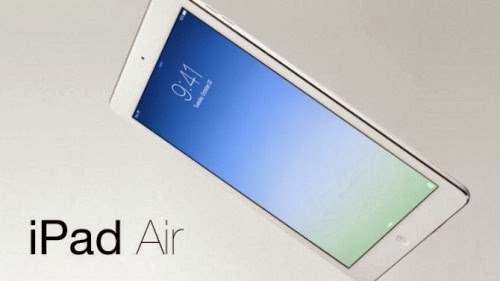
IPad Air vs Nokia Lumia 2520 » Comparison between the two tablets


Today was a day where electronic tablets were the protagonists.New iPad Air is the first ultra-thin tablet that exists in the market, also Nokia introduced the new Nokia Lumia 2520 a tablet that wants to earn a place in the world of technology ,here we give you features and evaluate which one promises more.

Nokia Lumia 2520


Nokia entered the business of digital tablets with the Nokia Lumia 2520 which features a 10-inch screen , runs on the Windows 8.1 operating system RT, limited variation of Windows 8 that does not include the classic desktop interface, has a network 4G LTE, quad-core processor at 2.2 GHz and includes a rear camera and 6.7 megapixel front. The market price will be $ 499.

If you are a Windows user, no doubt this tablet will complement your ecosystem and also give you access to the most popular applications on the market.

iPad Air


Meanwhile the iPad Air is very thin, has a display of 9.7 inches , depth is 7.5mm, weighs about 453 grams, including the A7 chip 64-bit co-processor and M7, is eight times faster than previous generation with better graphics, is lighter and with a new architecture in his gut to provide better usability and performance to all the people who acquire.

On paper (will have to try), its characteristics look very complete and its thinness, will become the perfect gadget for people who travel often or do not require a laptop move all the time to do their work.

So which is better?

As for graphics and other features, the iPad Air looks much more promising than the Nokia Lumia 2520 , on the other hand, the processor that has the Apple device compared with using Nokia, is superior and was greatly improved by considering the previous generations of Apple's tablet. Mind you, it's back to say it's the first tablet that Nokia is launching , so surely we will see an evolution in their upcoming products of this style as we have seen with Apple.

Of course we can not define what is best based only on their characteristics since much depends on the use that give users and if they cover your needs. Already prove at the time and give you more information but at least for now you can start thinking about what the team that best fits your lifestyle according to their characteristics .

Four Main Advantages Of Windows RT Tablets


» The price

One of the main advantages is probably the price. RT Windows tablets running on an ARM processor with a Windows RT license. The combination of these elements allows in many cases for Windows RT tablets at a lower price in the market are then put Windows 8 tablets with an Intel processor. With a budget of 500-700 euros you can pretty well from the feet.

» Office 2012 RT is included for free

An important advantage of Windows RT tablets is that the Office 2013 RT package is included for free. Initially, it is still a preview version, but Microsoft will sometime in the next few weeks the full version roll (free update). This gives you direct, and without additional cost, access to the popular word processing, spreadsheet and presentation programs (One Note, Word, Excel and PowerPoint). If you have a Windows 8 tablet buy Office 2013, you will need to purchase separately.


» Longer battery life


RT Windows tablets run as stated on an ARM processor, a processor that we have so far only Android tablets and iPads ran. Now the ARM processors from Nvidia and Qualcomm among others, also for Windows can be used to cause a few extra advantages. Thus, the ARM processor is generally much more energy efficient than the Intel (x86/x64) processor. Since the battery life of tablets is an important part, this is an important advantage of Windows RT tablets. There are tablets with an ARM processor often just be thinner and lighter than the Intel / AMD variants, something that the device in some cases just a little more mobile.

» No malware


A "bonus advantage 'is the fact that the probability of (certain) malware - malicious and / or damaging software - Windows RT tablets is much smaller than in Windows 8 tablets, at least provisionally. Simply put, this is because the malware is now distributed aimed at and designed for x86/x64 (Intel / AMD) devices and therefore can not be rotated on a Windows tablet RT. As mentioned, this advantage is temporary as the attackers at a rapid adoption of Windows RT course just getting started with malware that is devoted to this.

ASUS TRANSFORMER AIO HANDS-ON: 18.4-INCH TABLET WITH DUAL OS


This year's CES is the exhibition of the giant screen. Who thought, however, that a 5-inch smartphone is great, should be even look at the Transformer AiO P1801: Asus Tablet - if such it can even still want to call it that - has a 18.4-inch display.


Android runs on the cars themselves. Included but is also a docking station with integrated Windows 8 computer. Is the tablet docked here, it serves as a screen for the dock computer. Thanks to an integrated streaming solution is in your own home - or in Wi-Fi range - also possible with the AiO to take on the couch, in the kitchen or the bathroom.

How practical is all this and what the Asus Transformer AiO P1801 still can be seen in our hands-on video from CES.


Lenovo IdeaPad Yoga 11S: New edition with new Intel processor


Lenovo IdeaPad Yoga with the 11S today at CES expands its product portfolio with another Windows 8 Convertible. Unlike its predecessor here tinkers an Intel i3, i5 or i7 processor, which supports a full Windows 8 and supplies the unit with additional power.
Aside from the processor, Lenovo has not changed much, but the above innovation brings with it a great value, since the new Low Voltage Ivy Bridge chip compared to its being both significantly more powerful and more energy-saving ARM-based brother. The 11.6-inch IPS display with a resolution of 1366 × 768 pixels can be turned still 360 degrees, allowing the device to be used either as a tablet or as an Ultrabook. The integrated keyboard also allows stand function - for example in the media playback or presentations. Only the value added by the powerful processor fan might interfere in daily use something that will probably show itself but only in the first test. The increase in the thickness of about 1mm in view of the expected increase in performance may not be relevant.


Depending on the region, the data differ in terms of memory, hard drive size and processor, in addition to an internal memory of up to 256 GB will also stand up to 8GB of RAM. The Intel chip will be available in various versions as i3, i5 and i7. Apart from the other features are also very interesting and cutting-edge, WiFi, Bluetooth 4.0, a 720p video camera, USB 3.0, HDMI and an SD card slot is also on board.


In June, the unit for $ 799 in the U.S. will be available for Germany can, for the same configuration, expect similar prices. The wait is worth it in any case, because the remake of the 11 yoga shines in terms of equipment, especially with a full Windows 8, its Convertible property and a relatively fair price.

Panasonic Toughpad » 7 and 10 inch Android Tablet with Windows 8


Panasonic introduced two new tablets, Toughpad FZ-G1 and JT-B1. The FZ-G1 is a 10 inch tablet with Windows 8 operating system and the JT-B1 than 7-inch version comes with Android 4.0 .Both devices are designed for tough working conditions and are particularly dust and water protection ,and also withstand shock and a fall of 1.2 meters.


Almost all the ports of the two tablets are hidden under flaps, which make sure that the dust and water protection is provided.Another advantage of both tablets from competitors are the replaceable batteries.

The main features of JT-B1 (7 "inch Android):

  • Android 4.0
  • 7 "wide, 4-finger capacitive multi-touch screen
  • Display with 500 cd / m² brightness with anti-reflection coating
  • 1.5 GHz dual-core processor from Texas Instruments ®
  • Up to 8 hours of battery life (Battery can be changed by the user)
  • 1.3 mega pixel front camera 13 megapixel camera with LED documentation to back
  • GPS and digital compass
  • Shockproof to a height of 150 cm *
  • Water and dust proof (IP65) *
The main technical data FZ-G1 (10 inch Windows 8)


  • Intel ® Core i5-3537U vPro processor
  • Windows Pro 8
  • Intel HD 4000 graphics
  • Outdoor display with latest IPS-Pro Next Technology
  • Bright 10.1 "wide WUXGA (1920 x 1200) with m up to 800 cd /
  • 10-finger capacitive multi-touch screen + digitizer (pen input)
  • Crash resistance to a height of 120 cm *
  • Water and dust proof (IP65) *
  • Can be changed by the user of the battery with up to 8 hours of battery life
  • Flexible and highly configurable port (serial, LAN, microSD or USB 2.0)
  • Lightweight design - weighs 1.1 kg

LG Tab Book H160 Slider Windows 8 Tablet Hands-on Video


LG at CES 2013 its two new slider tablet with Windows 8 presented. Both the LG Tab Book Z160 Ultra, as well as the LG Tab Book H160 come with a central hinge and therefore each based Intel Core and Atom processors.

Externally, the two new devices are very similar, they offer both a 11.6-inch display with 1366 × 768 pixels, the touch of a button when needed slips up and exposes an underlying keyboard. When atomic model that Nicole has seen in the below video for us, it is probably the cheaper version, as it known from other Tablets Atom Z2760 comes with a 1.8-gigahertz dual-core used. The model with Intel Core i5 CPU will be much more expensive and cost about 1000 euros, which we present to the Atom version no price information.


They all is well apart from the CPU almost completely identical. There are two GB of RAM and at least 64GB of SSD capacity. Added MicroSD card slot, Wi-Fi N, HDMI-out and two USB ports and a front camera for video calling. Despite fairly compact design with only 15.9 millimeters in height and just over a kilogram, the battery should provide enough capacity to at least make the H160 for a term of up to 12 hours.

Lenovo IdeaTab Lynx: 11.6-inch Windows 8 Tablet with optional keyboard dock


Lenovo has been at IFA, the Lenovo ThinkPad Tablet 2 introduced with Windows 8, the 26th for 649 € from the Is available in October. But next to the Business Tablet Lenovo is another Windows 8 tablet before. The Lenovo IdeaTab Lynx should come in December at a price of $ 599 on the market. For another $ 149, this is an optional keyboard dock that has two full USB ports, and an integrated battery. With the 11.6-inch IPS (400 nits) display and the keyboard dock, it is the class of the Asus Vivo Tab , which is also equipped with an Intel Clover Trail processor.

LENOVO IDEATAB LYNX 11.6 SPECIFICATIONS:

  • 11.6-inch IPS display (resolution: 1366 x 768 pixels)
  • 2 GB of RAM
  • 32/64 GB internal memory
  • Intel Clover Trail
  • 9.45 mm thin
  • Micro USB, Micro HDMI, Micro SD Slot
  • 2 MP camera (front) - Rear (no)
  • 8h battery life - 16 hours including keyboard dock
The Lenovo IdeaTab Lynx and the accompanying keyboard dock consist largely of plastic. If you use the Lynx IdeaTab with keyboard dock you have to forego the Windows button on the tablet, as this is covered by a plastic cover. How far can keep up with the competition, the Lynx will be seen after the launch in December.

Lenovo ThinkPad X1 helix: First 11.6-inch Windows 8 tablet specs and review


The ThinkPad X1 helix. First 11.6-inch Windows 8 tablet with docking station made by Lenovo and will be presented in January 2013 at CES When convertible tablet is a powerful device with Intel Core i7 processor and high-resolution display - how can I find a high-end tablet for business use.


But now to the hardware equipment. Under the hood of the ThinkPad X1 Helix connected, as already mentioned, an Intel Core i7 processor of the third generation (Sandy Bridge). We also have an Intel GMA HD 4000 graphics chip and 4GB of memory on board. The 11.6-inch IPS display can be seen with a resolution of 1920 x 1080 pixels really. Otherwise, the Lenovo Tablet is of course equipped with the standard NFC, 3G, GPS, and with one or two cameras. The operating system is Windows 8 for use, which should thanks to powerful processor and lots of memory problems to cope with more demanding programs or apps.


As for weight, price, release date and some missing hardware specifications, we can unfortunately only after you report the CES in Las Vegas again. Also in terms of functionality with the detachable keyboard dock, we grope currently still completely in the dark. The black carbon housing but it looks not only chic, but also likely to be fairly easy. With the Lenovo ThinkPad X1 helix I suspect currently a really noble and yet powerful Tablet, I'm excited!

Lenovo ThinkPad X1 Helix 11.6-inch Tablet specs and review


The Lenovo ThinkPad X1 helix to be unveiled in January, according to the latest reports on CES 2013 and then the first 11.6-inch Windows 8 tablet with its docking station from the Chinese manufacturer.


The appliance form factor reminiscent of her on the Lenovo IdeaTab Lynx, however, the Chinese put the
helix on it again one and the specs as the Full HD 1080p display gives hope for a very fine Tablet:


  • Intel Core i7 processor of the third generation (Ivy Bridge)
  • 11.6-inch, capacitive IPS display with a resolution of 1920 x 1080 pixels
  • 4 GB of memory
  • Graphics Controller: Intel GMA HD 4000
  • Operating system: Windows 8
  • Camera
  • NFC
  • Wacom Digitizer
  • 3G functionality
  • GPS

As you can see, we have built a thick chip that is supported by plenty of RAM and a high-definition display with 1920 x 1080 pixels. Big difference here comparable to Windows 8 - Tablets : You can do the ThinkPad X1 Helix not only with your fingers from the keyboard and use the touch screen, but also thanks to Wacom digitizer with a stylus.


The Windows 8 tablet comes with a black carbon housing, but about the weight of the unit, we can only speculate. Likewise, we do not have the price of the X1 helix. The missing specifications we can but you probably already quite late filing soon, because we must have the unit in a few days at CES expect in Las Vegas, where Lenovo presents to us the part. By then we also have the availability and price for you. What we have so far, but can see it, can hope for a great tablet, in which there could be a very special design twist: it seems as if it would be in the tablet no matter which way round it been attached to the docking station . Thus, you could position it so that your counterpart could take a look at the display. But here we are in Las Vegas to convince us of the functionality and features of the Lenovo tablet.

Dell Latitude 10 with Windows 8 has a replaceable battery


The Dell Latitude 10 bring the Americans to a tablet on the market, which is intended for use in the business. Accordingly, there are numerous features such as a replaceable battery.


Together with Acer, Samsung and ASUS has also some Dell Windows 8 tablet on offer. One of them is the Dell Latitude 10 , the American company that has been presented in more detail in a video and demonstrates the use of the work. The Dell Latitude 10 is aimed not so much to ordinary consumers, but rather to business customers. Accordingly, the 10.1-inch tablet comes with several interesting features such as a replaceable battery. Especially in the case Tablets notoriously rare.

The Dell Latitude 10 has. A 10.1 inch IPS display with 1366 × 768 pixels Including hides the already familiar Intel Atom Z2760 dual core processor, which can be found for example in the Samsung Smart Ativ PC. To 2GB of RAM and a SSD come with different capacities. The cheapest version of the Latitude 10 with 789 euros is unfortunately quite expensive, but it is just not directly compete with iPad and Co. but rather come to work for use. When the price is way no taxes there.

If that Latitude 10 is too expensive and still want to have a tablet from Dell, which may be used for Dell XPS 10 attack. In this device, however, puts an ARM processor and accordingly RT Windows preinstalled. A desktop PC or a Ultrabook you can not replace it, what with the Latitude 10 would be possible.

Lenovo ThinkPad Tablet 2 with Windows 8


We are still waiting for most of Windows 8 Tablets. Actually, for the 26th October appear over 20 Windows 8 Tablet with Intel processors - that was not so. Gradually, but are now more devices come to market and below is also the Lenovo ThinkPad Tablet 2 . Several German retailers have now confirmed that the ThinkPad Tablet 2 in the week will be available before Christmas. This is the week of 17 to 23 December, so in two weeks. In Germany, the cheapest version of the tablet will cost 629 euros.

The Lenovo ThinkPad Tablet 2, with a 10.1 inch IPS display that has a resolution of 1366 × 768 pixels. This resolution, most have Windows 8 Tablets. On the ThinkPad Tablet 2 Windows preinstalled 8 Pro, because the device is an Intel Atom Clover Trail processor with 2GB of RAM. The same chip is also in the Acer Iconia Tab W510 to find. Depending on the model you will get the ThinkPad Tablet 2 with 32GB or 64GB memory. At the sides of the tablet has a full USB 2.0 port, a mini HDMI output and a microSD card reader. There are numerous accessories like a keyboard dock and stylus, because you can get the ThinkPad Tablet 2 with an active digitizer.